For interior designers
Interior specification without manual copying
Find a product in any shop and add it to your project specification with one click: name, price, photo and supplier. The client approves items via a link, and you see the decisions straight away.
Free during the beta · no card required
How it works
Four steps from a shop page to an approved specification.
Add a product
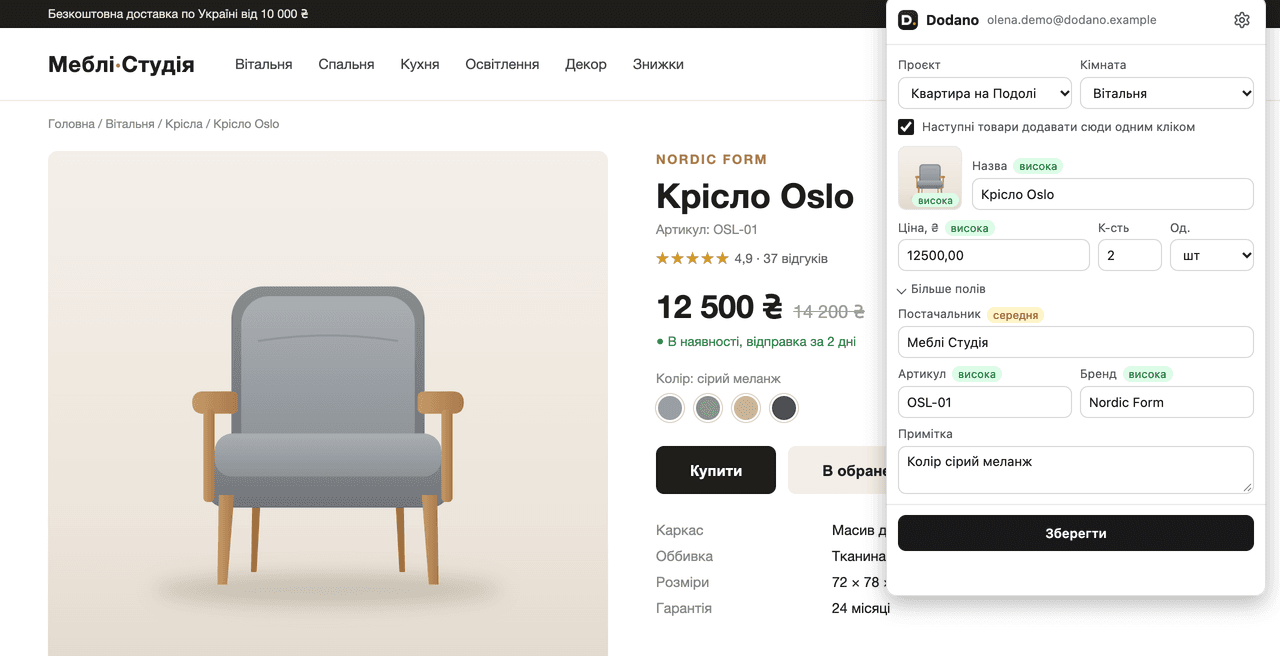
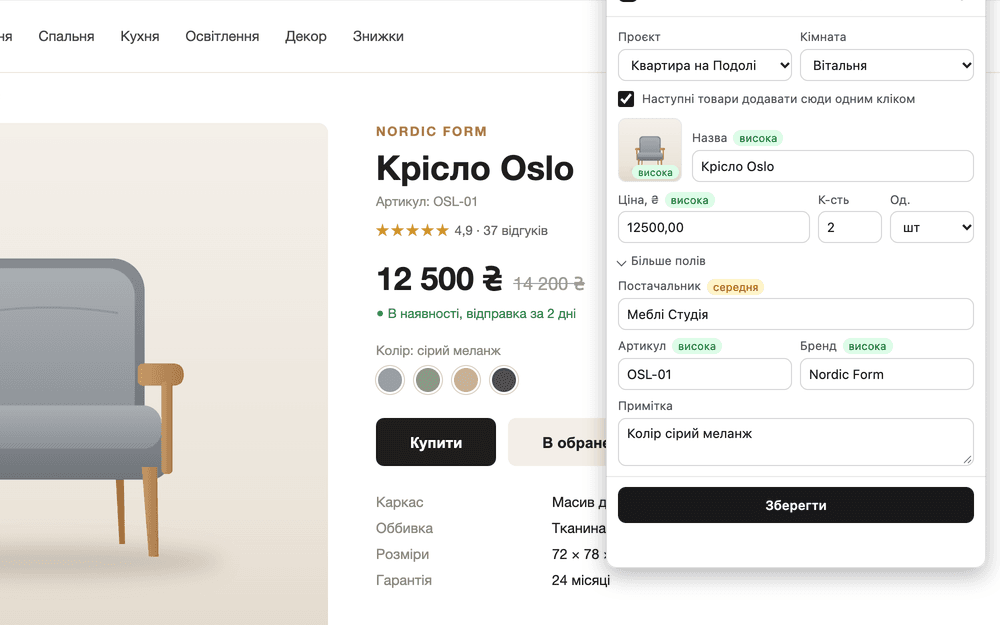
Click the D icon on the product page or paste the link into the project. Dodano will find the name, price, photo and supplier.
Review the draft
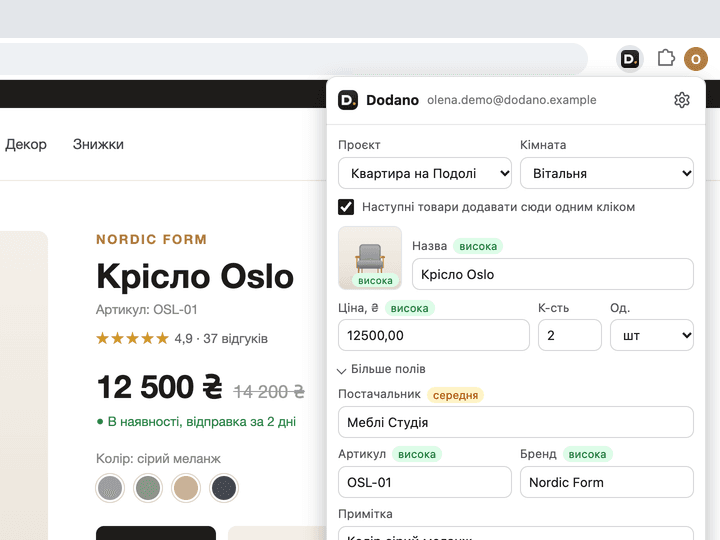
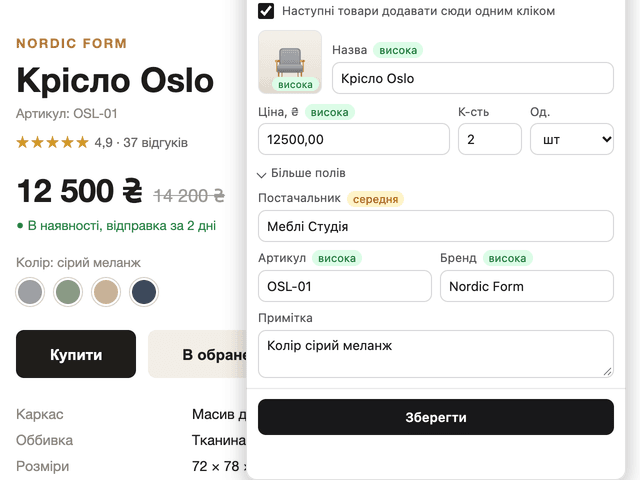
Each field shows how confidently it was recognised. Correct anything needed and save the product as a new item or as a replacement for a rejected one.
Build your specification by room
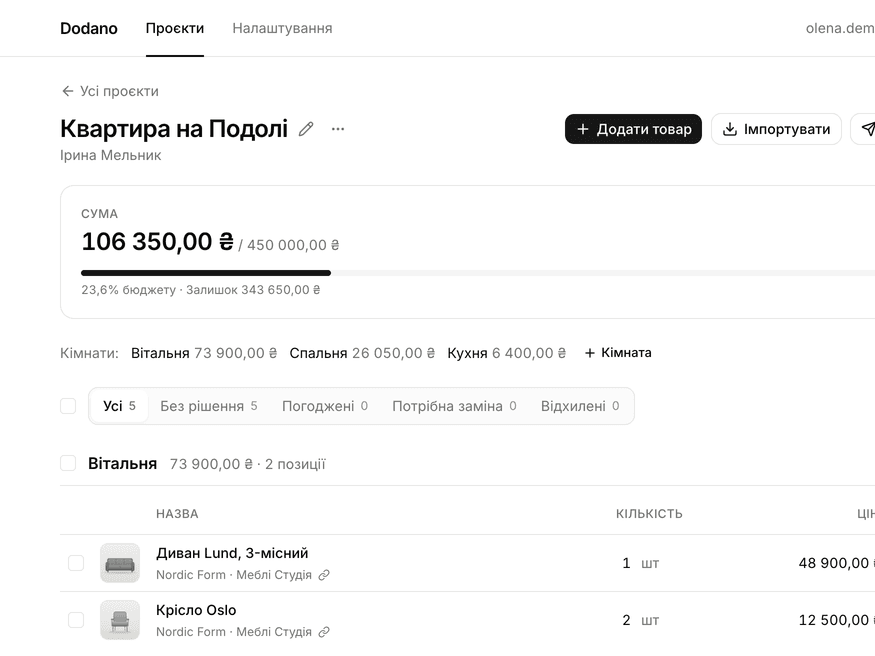
Items are grouped by room, while the total, remaining budget and budget percentage update with each product.
Send to the client for approval
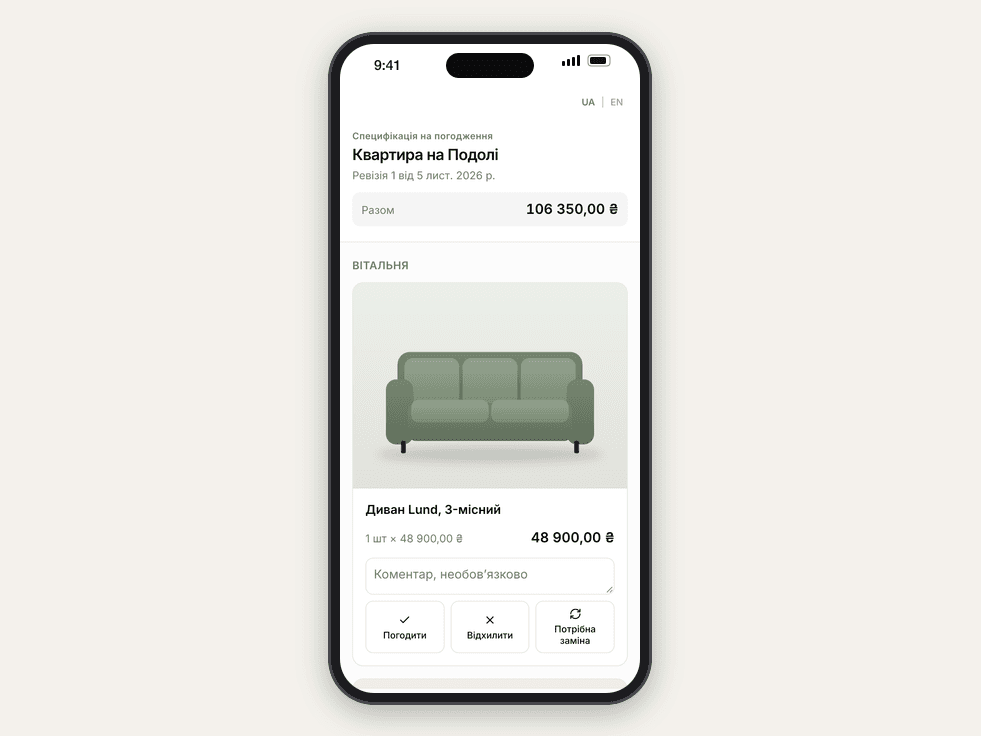
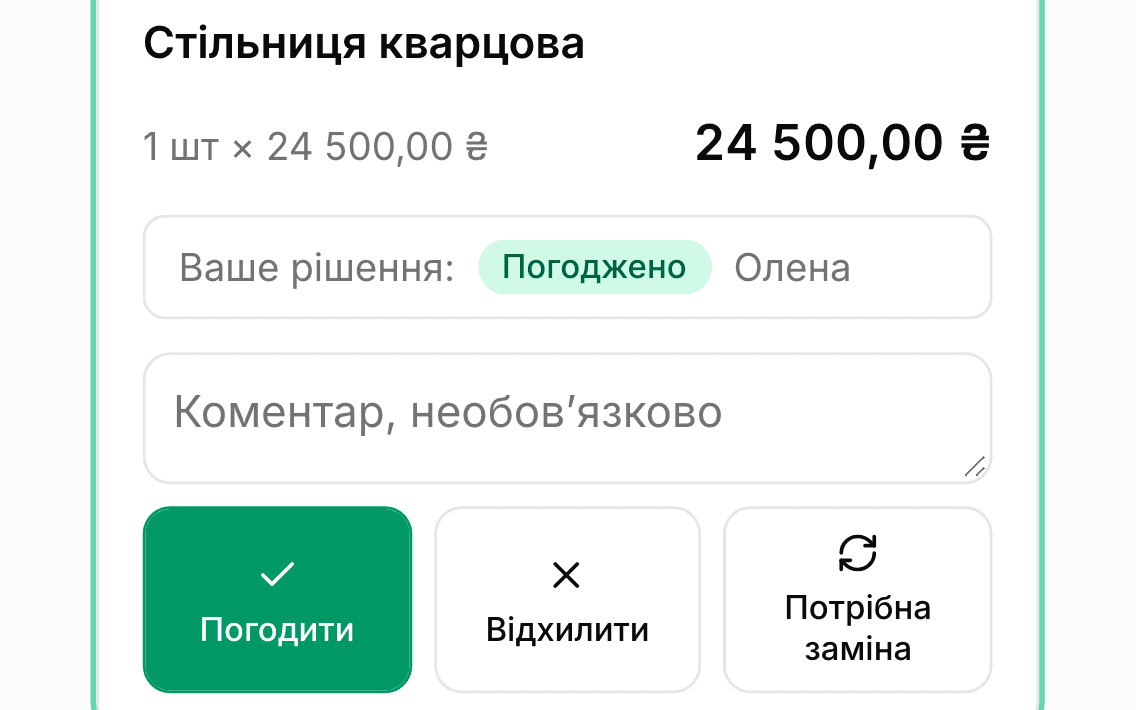
The client opens the link on their phone without registering and approves, rejects or requests a replacement. You see the decision immediately and receive an email.
Features
From the first product on a shop page to a specification approved by the client.
Import from any shop
Paste a link or press D in your browser: the name, price, photo and supplier are added to the item draft. For shops that block servers, your browser reads the page through the extension.
Client approval by link
The client opens the specification on their phone without an account and chooses “Approve”, “Reject” or “Replacement required” for each item. Decisions and comments are immediately visible in your project.
Import from XLSX and CSV
Transfer your existing table: match the columns, review the result and confirm.
Budget by room
Total, remaining budget and budget percentage for the project, each room and category.
Revisions and decision history
Each submission to the client is a separate, immutable revision, and their decisions are saved in the history.
Export and print
Specification in XLSX, CSV or on an A4 sheet. Purchase prices remain visible only in your version.
Replace rejected items
Suggest another product to the client instead of the one they rejected or asked to replace.
Find a better price
Check whether the same product is sold more cheaply in other shops.
Screenshot recognition
A product from a page screenshot or photo goes straight into the item draft.
- Coming soon
Currencies, discounts and your margin
Prices in euros or dollars using the exchange rate, supplier and client discounts, and your project margin.
Why Dodano
For interior designers and specification managers running several projects at once.
Save time
Add a product to the specification in one click instead of copying names, prices and photos into a table.
Transparency for the client
The client sees the current specification with photos and totals and responds to each item.
Budget control
You always know how much has been planned and how much remains for each room.
Chrome extension
Click the D icon on a product page — the extension detects the name, price, photo, supplier, product code and brand. Connects with one click, reads the page only after you click and sends it only to the Dodano server.
Questions and answers
Is a bank card required?
No. During the beta, Dodano is free: an email address and password are all you need to register.
Can the client see purchase prices?
No. The client sees names, photos, quantities, client prices, totals and notes for them. Purchase prices and internal notes are not included on either the approval page or the export for the client.
Which shops are supported?
Any online shop with a product page. Dodano reads the name, price and photo from the link; if the shop blocks these requests, use the extension — your browser will read the page. Anything it cannot detect can be added manually.
What happens to my data?
They are stored on the Dodano server and are needed only to operate the service. Specifications can be exported to XLSX or CSV at any time, and your account can be deleted with all data at your request.
Can the client change prices?
No. The client can only approve or reject an item, request a replacement and leave a comment. Only you can change prices, quantities and the contents of the specification.
Is there a mobile version?
There is no separate app: Dodano works in a phone or tablet browser, and the client approval page is designed primarily for phones. The extension works in Google Chrome on a computer.
Create your first specification today
Free during the beta · no card required